
Saving videos and images from websites can sometimes be tricky, as some pages offer direct download links while others rely on embedded players, dynamically loaded content, or streaming formats that require extra steps to access. If you want to save accessible Fapello content for offline viewing or personal reference, choosing the right tool can make the process more convenient.
In this guide, we’ll review the top tools for downloading Fapello videos and images in 2026, compare their main features, and help you find the best fit for your device, preferences, and downloading needs.
1. Best Tools to Download Fapello Videos
1.1 VidCat – Best Recommended Video Downloader to Download Fapello Videos
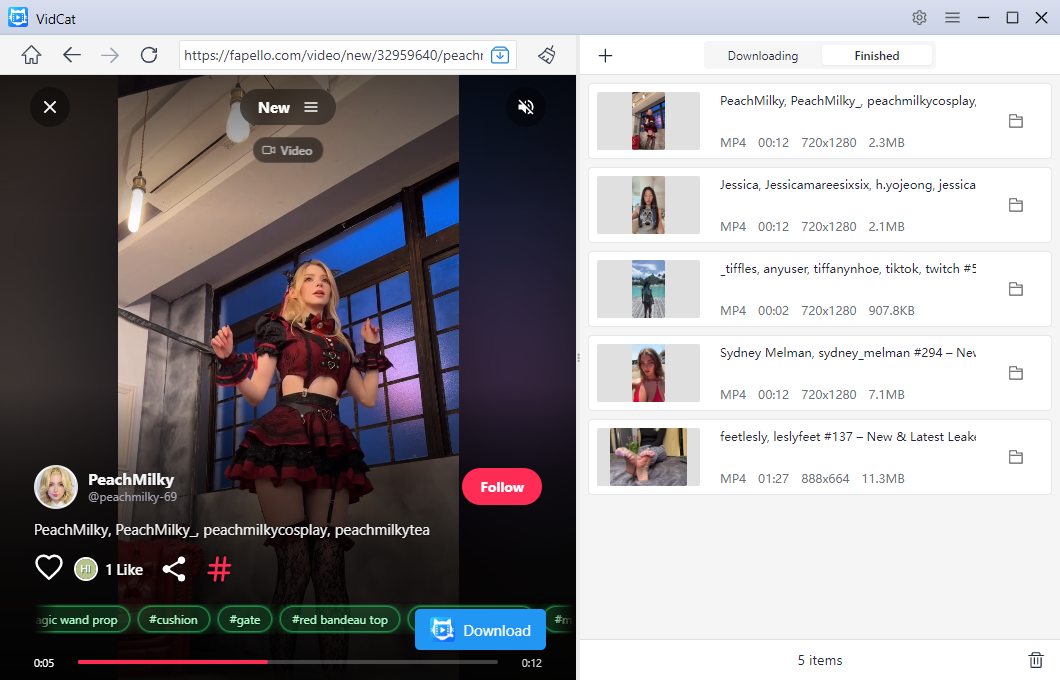
Developed by CatParse, 視訊貓 is a desktop video downloader that supports media detection and downloads from compatible websites, along with batch downloading, format conversion, and file management features. Its straightforward workflow makes it a useful option for users who regularly save online videos.
Main features of VidCat:
- Bulk downloading: Download multiple videos from different URLs in one batch.
- Website support : Download from 10,000 video hosting websites.
- High-resolution output: Supports available video quality up to 8K.
- Multiple formats: Download videos in formats such as MP4, MOV, and MKV.
- Playlist support: Download supported playlists in batches.
- Metadata and subtitles: Keep available subtitles and video information.
Steps to download Fapello videos with VidCat:
- Download the VidCat version compatible with your computer, then install and launch the application.
- Open the desired Fapello video in VidCat’s built-in browser, start playback, adjust your download settings, and click Download to save the video.
- Repeat these steps for any additional Fapello videos you want to save.
- VidCat will add the selected videos to the download queue and begin downloading them concurrently.
1.2 Best Video Downloader Extensions to Download Fapello Videos
Browser-based video downloader extensions offer a convenient alternative to desktop programs, automatically detecting compatible media on webpages and letting you download videos without leaving your browser.
Populat Choices:
- MPMux 影片下載器
- SnapWC
- 影片下載助手
- 專業影片下載器
How to Download a Fapello Video Using a Browser Extension:
- Open your browser’s official extension store and install the reliable extension like MPMux.
- Visit the relevant Fapello page, play the video if necessary, then click the MPMux extension icon.
- Check the detected media, select an available download option and save the video offline.

1.3 Inspect the Webpage to Save Videos
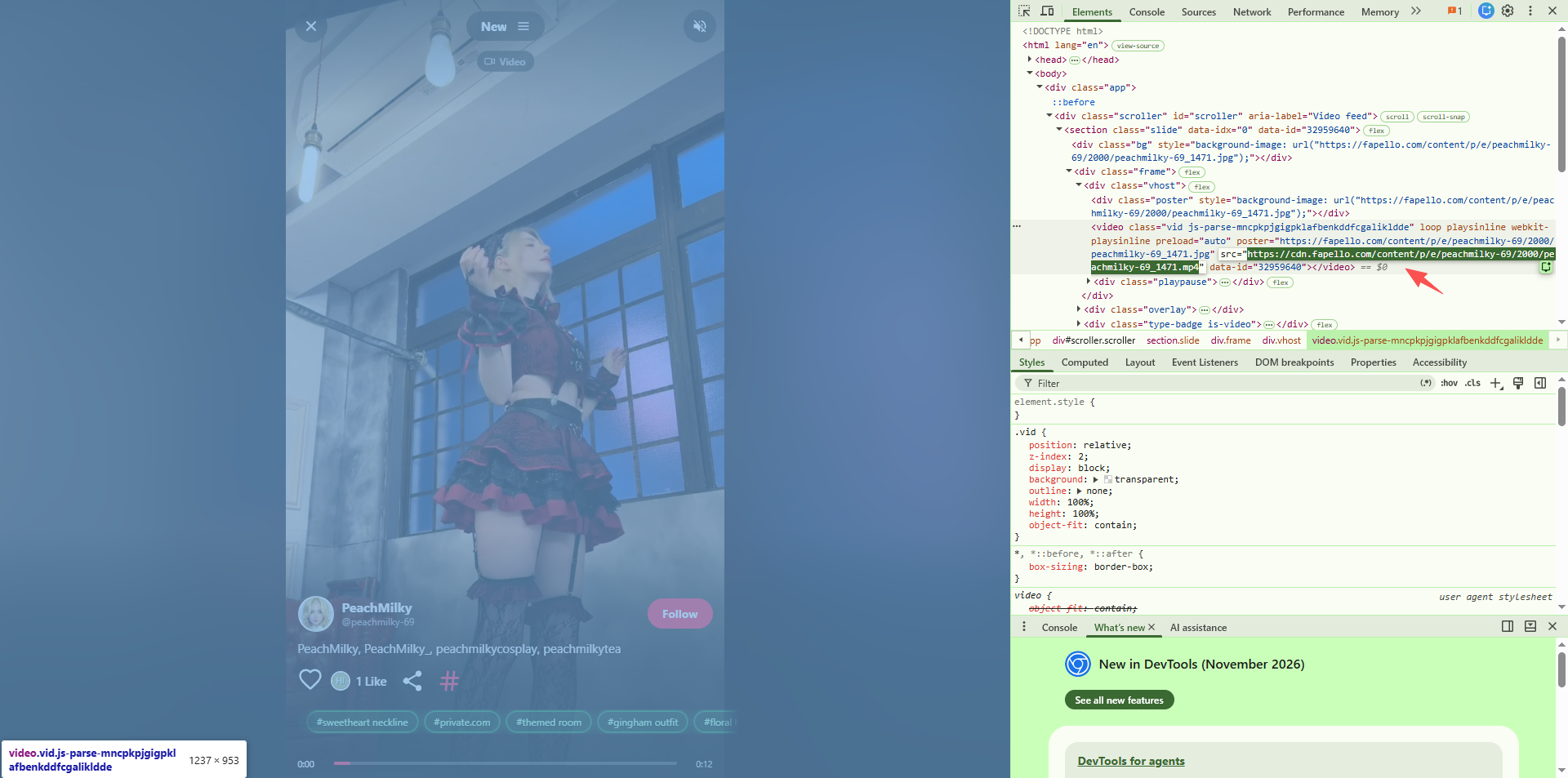
Chrome’s developer tools can help experienced users identify accessible media files loaded by a webpage. This method eliminates the need for additional downloading software but requires more technical knowledge than using an extension. However, some videos rely on segmented streaming or protected delivery systems, which may prevent direct access to the video file.
Steps to inspect the webpage to download a Fapello video:
- Open the Fapello page in Chrome, press F12 or right-click the page and choose 檢查 。
- Play the video to check for a directly accessible media file, then open its URL in a new browser tab and use the browser’s save option to download it.
2. Best Tools to Download Fapello Images
2.1 PicCat – Best Recommended Tool for Downloading Fapello Images
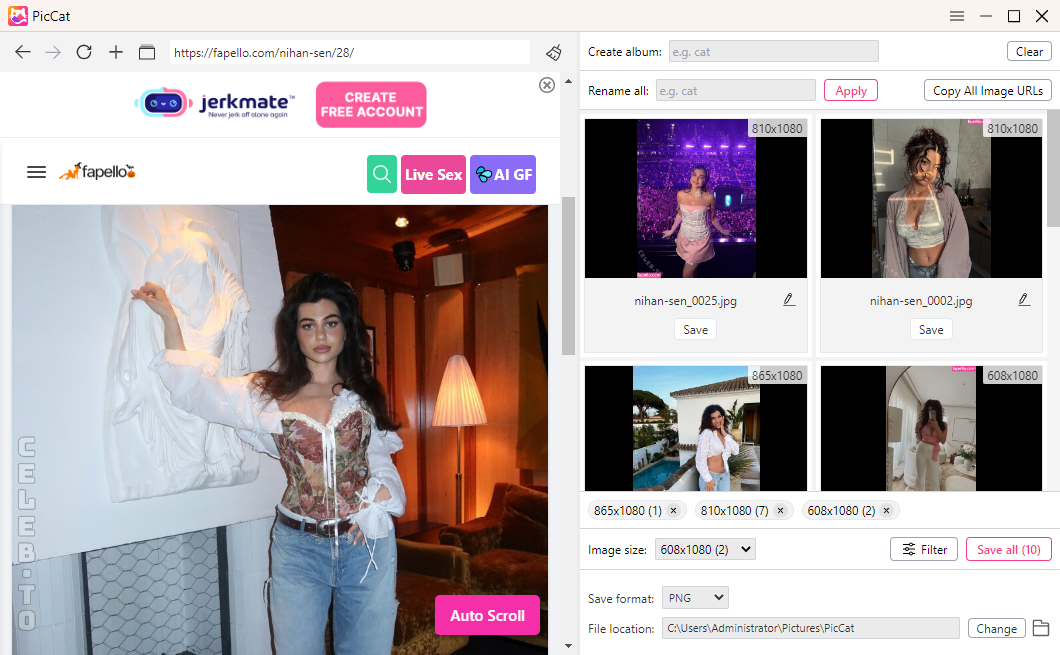
PicCat is a desktop image downloader that scans webpages for available images, allowing users to collect and save multiple files at once. Unlike tools intended for editing individual pictures, PicCat focuses on detecting, filtering, organizing, and exporting multiple images in one workflow.
Main features:
- Website support : Download from all image hosting websites.
- Bulk image extraction: Collect images from multiple webpage URLs.
- Original-quality downloads: Preserve available image resolution and format.
- Smart filtering: Filter results by image size and file type.
- Batch renaming: Organize downloaded images using custom filename patterns.
- One-click export: Save selected images to your device.
Steps to download Fapello images with PicCat:
- Download the appropriate version of PicCat, install and open PicCat.
- Copy one or more Fapello webpage URLs containing images you are authorized to save, then paste the URLs into PicCat and start scanning.
- Filter Fapello images by resolution or format, rename files as needed, and download all your selected images with a single click.
2.2 Image Downloader Extensions
Image downloader extensions are helpful when you want to save several images from a webpage without installing desktop software. They scan the current page and display detected images, often with options to filter, preview, and download files in bulk.
Populat Choices:
- Imageye – Image Downloader
- Download All Images
- Bulk Image Downloader – HImage
- Grabit
How to Download Fapello Images Using a Browser Extension:
- Find a reputable extension like Imageye in your browser’s official store and install it.
- Open the Fapello page containing the images and click the Imageye extension icon to detect available images.
- Filter the Fapello images by size, resolution, or other available criteria, then download them in bulk.

3. Online Image Downloaders
Online image downloaders offer a hassle-free way to save compatible images through your browser. Simply paste an Fapello image URL or webpage link to retrieve available images without installing extra software.
Populat Choices:
- 線上圖像保存器
- IMG下載器
- 影像擷取器
- ImgOnline.io
How to Download Fapello Images Using an Online Image Downloader:
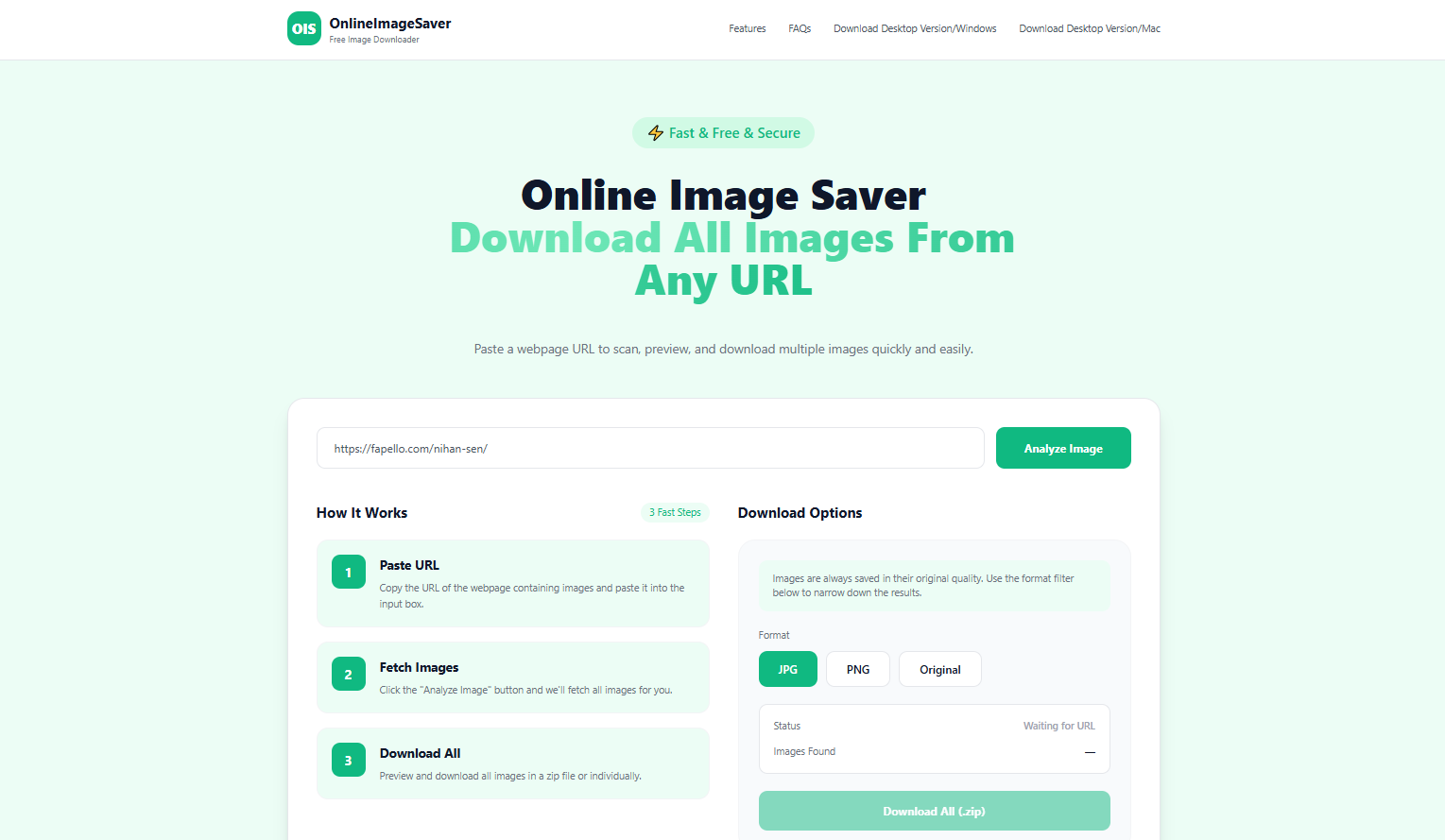
- Choose a reliable online image downloader, such as OnlineImageSaver, that supports extracting and downloading images from Fapello pages.
- Copy the direct image URL or a Fapello webpage link, then paste the link into the downloader.
- Click to start the extraction process and review the results.
- Select the image you want and save it to your device.
3. 結論
Choosing the right Fapello video and image downloader in 2026 comes down to your preferences, device, and specific downloading needs. 視訊貓 is a practical choice for supported video downloads, with features such as batch processing and multiple output formats. Video downloader extensions provide a convenient browser-based alternative, while developer tools can help identify accessible media files.
For images, PicCat stands out for bulk extraction, filtering, and file organization. Image downloader extensions such as Imageye are convenient for collecting pictures directly from webpages, while online image downloaders can help with supported links.